ANSYS create images using APDL with Command Object
If you already know how to leverage the power of ANSYS APDL, then using a Command Object to create images is very helpful. This is particularly useful if you already have APDL scripts for creating screenshots but are using Workbench for a job.
At it’s simplest, you can insert a Command Object under the Solution branch, with the following commands:
/gfile,500 ! Set image size
/show,png
allsel
gplot
/show,close
This will create a screenshot as if you used gplot within APDL. You end up with a image object under the Command Object, and you can get to the actual image file in the directory folder for this analysis. Obviously, you can use lots of other APDL commands to control the image that is created, like /view, /efacet, /ang etc.
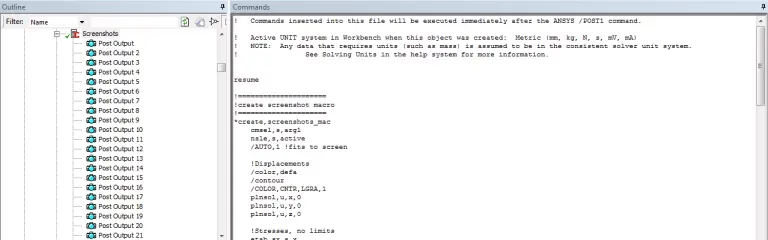
Or you can get very creative and have a Command Object that creates hundreds of automatic screenshots. An example is in the script below, which creates screenshots for a number of Named Selections, plotting a variety of stress-based plots for different defined views:
! Commands inserted into this file will be executed immediately after the ANSYS /POST1 command
! Active UNIT system in Workbench when this object was created: Metric (mm, kg, N, s, mV, mA)
! NOTE: Any data that requires units (such as mass) is assumed to be in the consistent solver unit system.
! See Solving Units in the help system for more information.
resume
!=====================
!create screenshot macro
!=====================
*create,screenshots_mac
cmsel,s,arg1
nsle,s,active
/AUTO,1 !fits to screen

!Displacements
/color,defa
/contour
/COLOR,CNTR,LGRA,1
plnsol,u,x,0
plnsol,u,y,0
plnsol,u,z,0

!Stresses, no limits
etab,sx,s,x
etab,sy,s,y
etab,sz,s,z
etab,sxy,s,xy
etab,sxz,s,xz
etab,syz,s,yz
etab,s1,s,1
etab,seqv,s,eqv
/color,defa
plnsol,s,x,0
plnsol,s,y,0
plnsol,s,z,0
plnsol,s,xy,0
plnsol,s,xz,0
plnsol,s,yz,0
plnsol,s,1,0
pletab,sx
pletab,sy
pletab,sz
pletab,sxy
pletab,sxz
pletab,syz
pletab,s1
/COLOR,CNTR,LGRA,1
plnsol,s,eqv,0
pletab,seqv

!Stresses, with limits
!bearing and tensile stress
/COLOR,DEFA
/CONTOUR,,,-arg5,,arg2 !bearing stress allowable minimum, tensile stress allowable maximum
/COLOR,SMAX,MAG
/COLOR,SMIN,MAG
/annot,dele
/tspec,,0.55
/tlabel,-0.6,0.93,Bearing and Tensile Stress
plnsol,s,x,0
plnsol,s,y,0
plnsol,s,z,0
pletab,sx
pletab,sy
pletab,sz

!tensile stress
/COLOR,DEFA
/CONTOUR,,,0,,arg2 !zero minimum, tensile stress allowable maximum
/COLOR,CNTR,LGRA,1
/COLOR,SMAX,MAG
/COLOR,SMIN,LGRA
/annot,dele
/tspec,,0.55
/tlabel,-0.6,0.93,Tensile Stress
plnsol,s,1,0
pletab,s1

!shear stress
/COLOR,DEFA
/CONTOUR,,,-arg4,,arg4 !+/- shear allowable
/COLOR,SMAX,MAG
/COLOR,SMIN,MAG
/annot,dele
/tspec,,0.55
/tlabel,-0.6,0.93,Shear Stress
plnsol,s,xy,0
plnsol,s,xz,0
plnsol,s,yz,0
pletab,sxy
pletab,sxz
pletab,syz

!equivalent stress
/COLOR,DEFA
/CONTOUR,,,0,,arg6 !zero minimum, equivalent stress allowable maximum
/COLOR,CNTR,LGRA,1
/COLOR,SMAX,MAG
/annot,dele
/tspec,,0.55
/tlabel,-0.6,0.93,Equivalent Stress
plnsol,s,eqv,0
pletab,seqv
/CONTOUR,,,0,,arg7 !zero minimum, yield stress maximum
/annot,dele
/tspec,,0.55
/tlabel,-0.6,0.93,Equivalent Stress against Yield Stress
plnsol,s,eqv,0
pletab,seqv

/annot,dele

*end

!=====================
!general settings
!=====================
/VIEW,1,-1,1,1
/ANG, 1, 120.0
/TRIA,LBOT
PNGR,COMP,1,-1
PNGR,ORIENT,HORIZ
PNGR,COLOR,2
PNGR,TMOD,1
/GFILE,1600
/CMAP,_TEMPCMAP_,CMP,,SAVE
/RGB,INDEX,100,100,100,0
/RGB,INDEX,0,0,0,15
/TYPE,,4
/GRAPHIC,POWER
/EFACET,2

/DSCALE,,OFF !turn off deformed shape

!=====================
!select component / named selection
!=====================
/show,png
!t=1
set,near,,,,1.0

*use,screenshots_mac,’Clip’, 382700000,355370000,202290000,437380000,508450000,600000000 !named selection, tensile, bending, shear, bearing, equiv, yield
*use,screenshots_mac,’Flange’, 183150000,189260000,112940000,244200000,283880000,335000000 !named selection, tensile, bending, shear, bearing, equiv, yield
*use,screenshots_mac,’Shear_Pins’,492050000,533050000,303430000,356060000,762670000,900000000 !named selection, tensile, bending, shear, bearing, equiv, yield
*use,screenshots_mac,’Bolt’, 328030000,328030000,189390000,328030000,328030000,900000000 !named selection, tensile, bending, shear, bearing, equiv, yield
*use,screenshots_mac,’Washer’, 183150000,189260000,112940000,244200000,283880000,335000000 !named selection, tensile, bending, shear, bearing, equiv, yield

!repeat for opposite view
/VIEW,1,-1,-1,-1
/ANG, 1, 120.0

*use,screenshots_mac,’Clip’, 382700000,355370000,202290000,437380000,508450000,600000000 !named selection, tensile, bending, shear, bearing, equiv, yield

!repeat for t=2
set,near,,,,2.0

/VIEW,1,-1,1,1
/ANG, 1, 120.0
*use,screenshots_mac,’Clip’, 382700000,355370000,202290000,437380000,508450000,600000000 !named selection, tensile, bending, shear, bearing, equiv, yield
*use,screenshots_mac,’Flange’, 183150000,189260000,112940000,244200000,283880000,335000000 !named selection, tensile, bending, shear, bearing, equiv, yield
*use,screenshots_mac,’Shear_Pins’,492050000,533050000,303430000,356060000,762670000,900000000 !named selection, tensile, bending, shear, bearing, equiv, yield
*use,screenshots_mac,’Bolt’, 328030000,328030000,189390000,328030000,328030000,900000000 !named selection, tensile, bending, shear, bearing, equiv, yield
*use,screenshots_mac,’Washer’, 183150000,189260000,112940000,244200000,283880000,335000000 !named selection, tensile, bending, shear, bearing, equiv, yield

!repeat for opposite view
/VIEW,1,-1,-1,-1
/ANG, 1, 120.0

*use,screenshots_mac,’Clip’, 382700000,355370000,202290000,437380000,508450000,600000000 !named selection, tensile, bending, shear, bearing, equiv, yield

!repeat for t=3
set,near,,,,3.0

/VIEW,1,-1,1,1
/ANG, 1, 120.0
*use,screenshots_mac,’Clip’, 382700000,355370000,202290000,437380000,508450000,600000000 !named selection, tensile, bending, shear, bearing, equiv, yield
*use,screenshots_mac,’Flange’, 183150000,189260000,112940000,244200000,283880000,335000000 !named selection, tensile, bending, shear, bearing, equiv, yield
*use,screenshots_mac,’Shear_Pins’,492050000,533050000,303430000,356060000,762670000,900000000 !named selection, tensile, bending, shear, bearing, equiv, yield
*use,screenshots_mac,’Bolt’, 328030000,328030000,189390000,328030000,328030000,900000000 !named selection, tensile, bending, shear, bearing, equiv, yield
*use,screenshots_mac,’Washer’, 183150000,189260000,112940000,244200000,283880000,335000000 !named selection, tensile, bending, shear, bearing, equiv, yield

!repeat for opposite view
/VIEW,1,-1,-1,-1
/ANG, 1, 120.0

*use,screenshots_mac,’Clip’, 382700000,355370000,202290000,437380000,508450000,600000000 !named selection, tensile, bending, shear, bearing, equiv, yield

/show,close
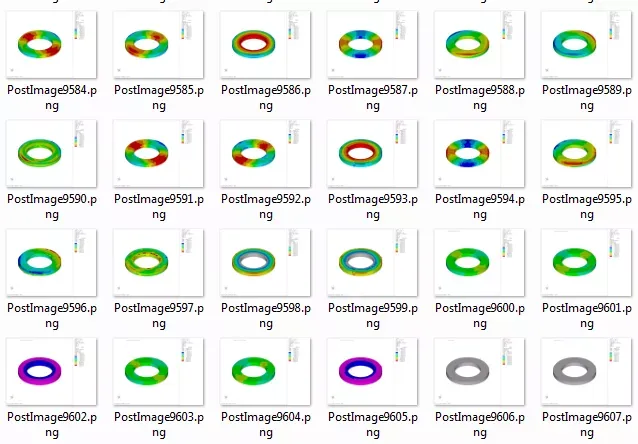
The above script outputs a number of images and uses defined contour limits to give consistent and comparable plots. It also is repeated for three different times (i.e. different load steps).
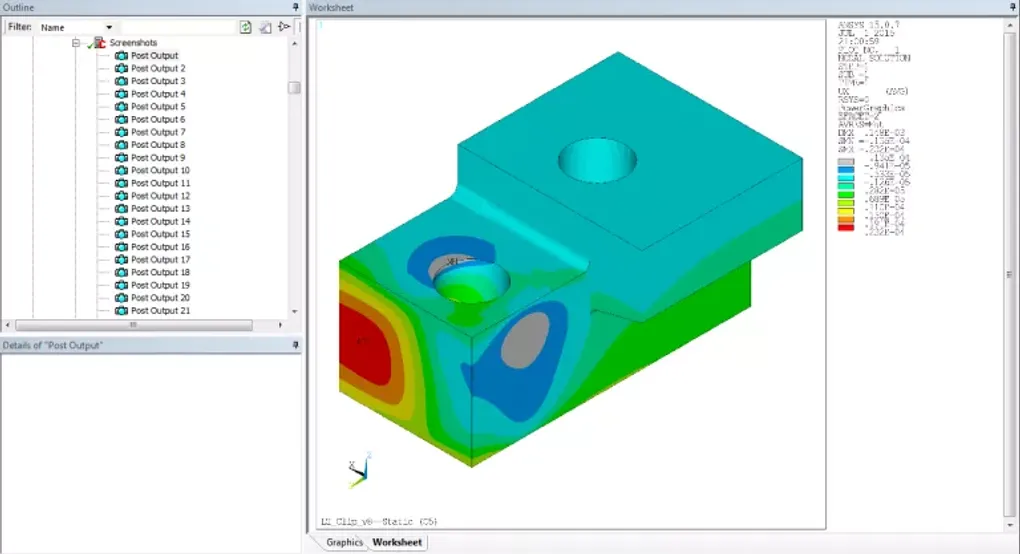
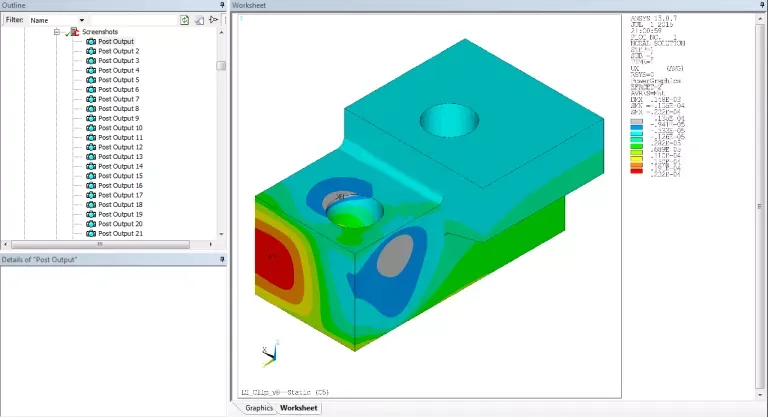
The following screenshots show what you see in Mechanical:
And this screenshot shows the image files in the analysis directory: